

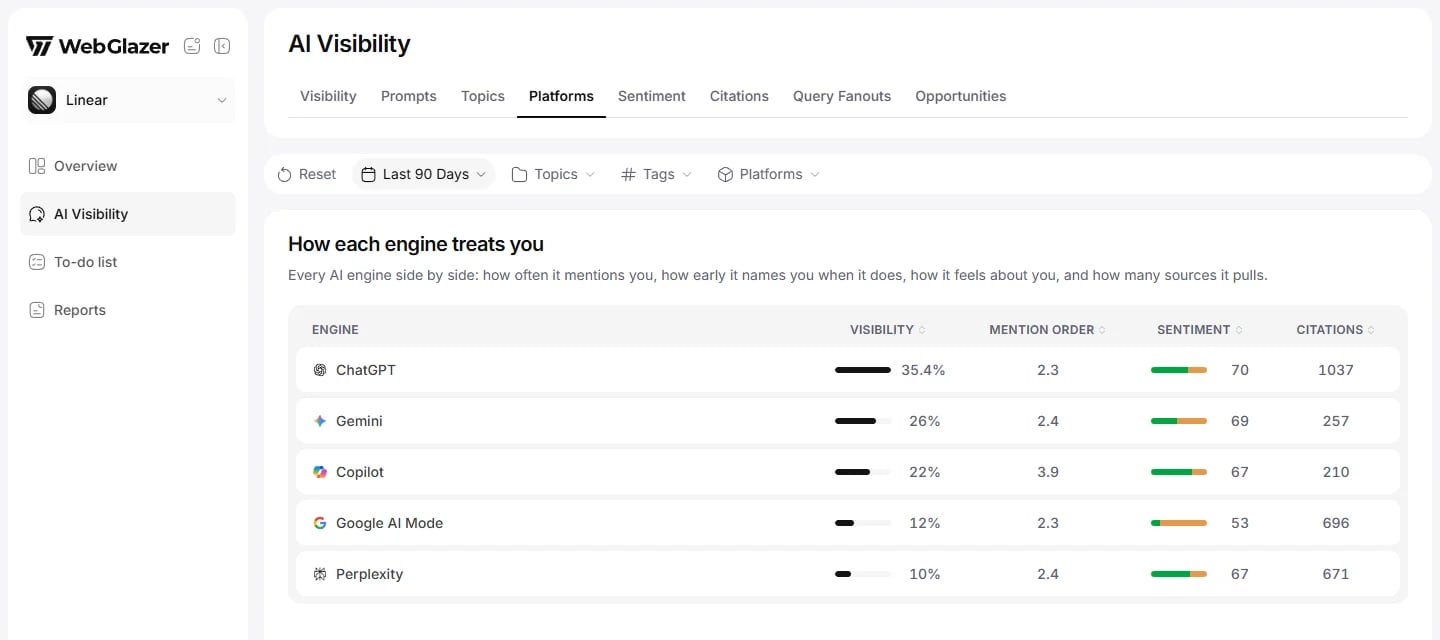
Sample data based on a linear.app project
How each engine treats you
“Every AI engine side by side: how often it mentions you, how early it names you when it does, how it feels about you, and how many sources it pulls.” One row per engine your project tracks.How the numbers work
- Each engine stands alone. Its visibility divides only by the answers that engine returned successfully. An engine that answered 1 prompt and named you reads 100%.
- Visibility and mention order count non-branded prompts only. Sentiment and Citations include branded prompts. So an engine can have a sentiment score while its visibility is empty.
- All numbers cover every run in the selected date range, with the topic and tag filters applied.
- The default order is highest visibility first. Engines with no visibility rate go last.
- Click Visibility, Mention order, Sentiment or Citations to sort. Each click cycles ascending, descending, off, and you can stack sorts. Engines with no data always sort to the bottom.
- A dash means the engine has no data for that column in the view.