

What it measures
WebGlazer groups citations by source, meaning one website host. A subdomain is its own source, soblog.example.com and example.com are two rows. For each source you get how often AI linked to it, which engines did, how many of your topics it reaches, and whether its pages mention you.
Search results an engine looked at but did not use are stored but never counted.
How it is calculated
Times linked = the number of answers that cited the source. An answer that cites three pages of the same site counts once for that site.Example with made-up numbers. ChatGPT cites 2 pages of
example.com in one answer, and Perplexity cites 1 page of it in another answer. Times linked = 2.
Hover the pill for the full sentence.
How pages get checked
WebGlazer checks pages of qualifying sources for your brand on its own. Some pages cannot be read this way. To fill those in, open a source on the Citations tab, switch to the full page list and click Check more pages. See Citations tab. Your own site shows Your site instead, because checking whether your own page names you means nothing. Qualifying sources are the ones cited by at least 3 different engines across at least 3 different prompts, counting non-branded prompts only. A source cited once by one engine is too thin to act on, so it stays off the default list. Qualifying sources get a rank (the # column), most linked first. Category is the kind of site, set per source from the newest run: Your site, News & blogs, Community & social, Competitor site, Comparison sites, Official sources, Paid or Other. A competitor site is a site on the domain of a competitor you declared. Which answers count: successful answers from the run’s selected engines, over every run in the selected date range, narrowed by the topic, tag and platform filters. Times linked and Reach include answers to branded prompts. Only the qualifying bar counts non-branded prompts alone.Where you see it
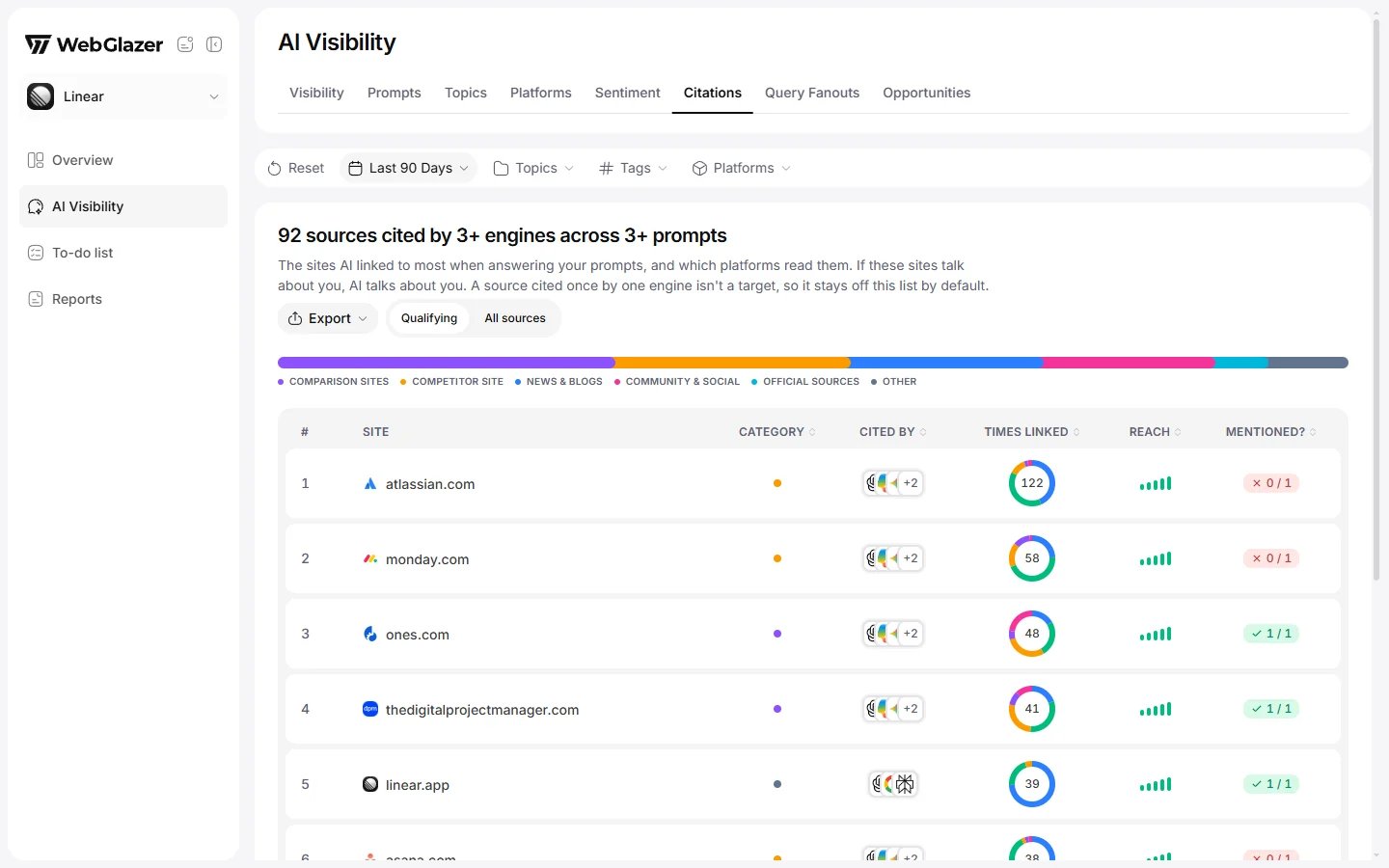
Sample data based on a linear.app project
- AI Visibility > Citations tab: the source table, the category bar and the source detail sheet. See Citations tab.
- AI Visibility > Platforms tab: the Citations column, times linked per engine.
- AI Visibility > Opportunities tab: qualifying sources that cite your market but do not name you.
- The prompt detail sheet > Sources tab: the pages cited for one prompt.
How to read it
- Start with qualifying sources whose Mentioned? pill is red or amber. AI keeps going back to them and they do not talk about you yet.
- High Reach means the source matters across many of your topics, not only one.
- Check Cited by. A source cited by every engine is worth more than one cited only by one.
What moves it
- Getting your brand onto the pages AI cites: reviews, comparison lists, directories and community threads.
- Publishing pages that answer the searches AI runs, so your own site gets cited. See Query Fanouts.
- Your prompts and topics. They decide which answers, and so which sources, are in the pool.